

Help Center
Support & FAQ
Everything you need to use THS 4 THT smoothly
Getting Started
THS 4 THT is a bartering marketplace where you trade directly with other people — no money involved. Two things set it apart:
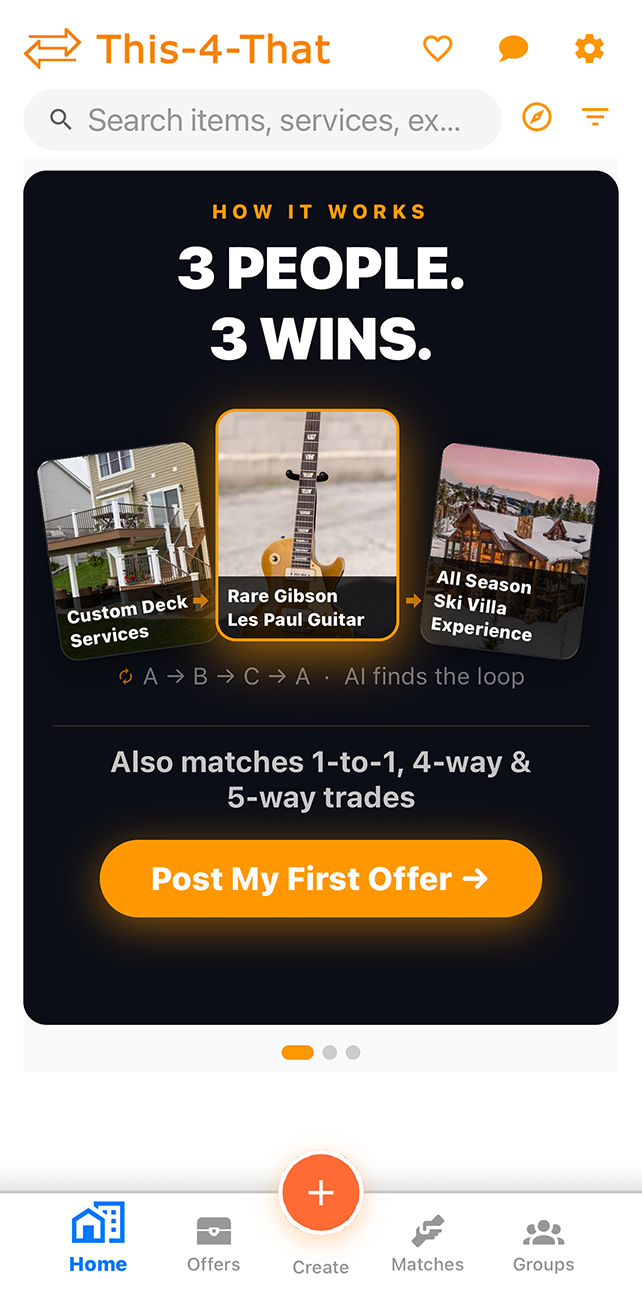
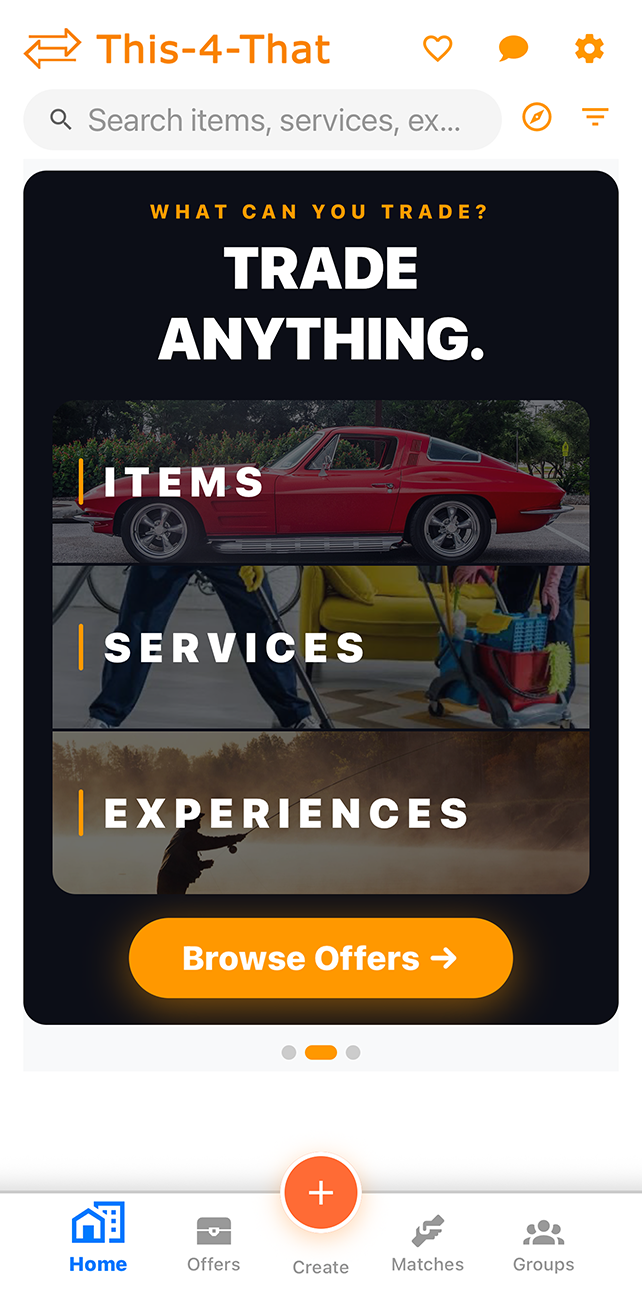
- Trade anything — not just physical items. You can barter services (tutoring, lawn care, photography) and experiences (guided tours, workshops, adventures) just like any item.
- Multi-way matching — if no one has exactly what you want, THS 4 THT finds 3, 4, and 5-person trade cicles where A gives to B, B gives to C, and C gives back to A. Everyone gets what they want, even when a direct swap doesn't exist.
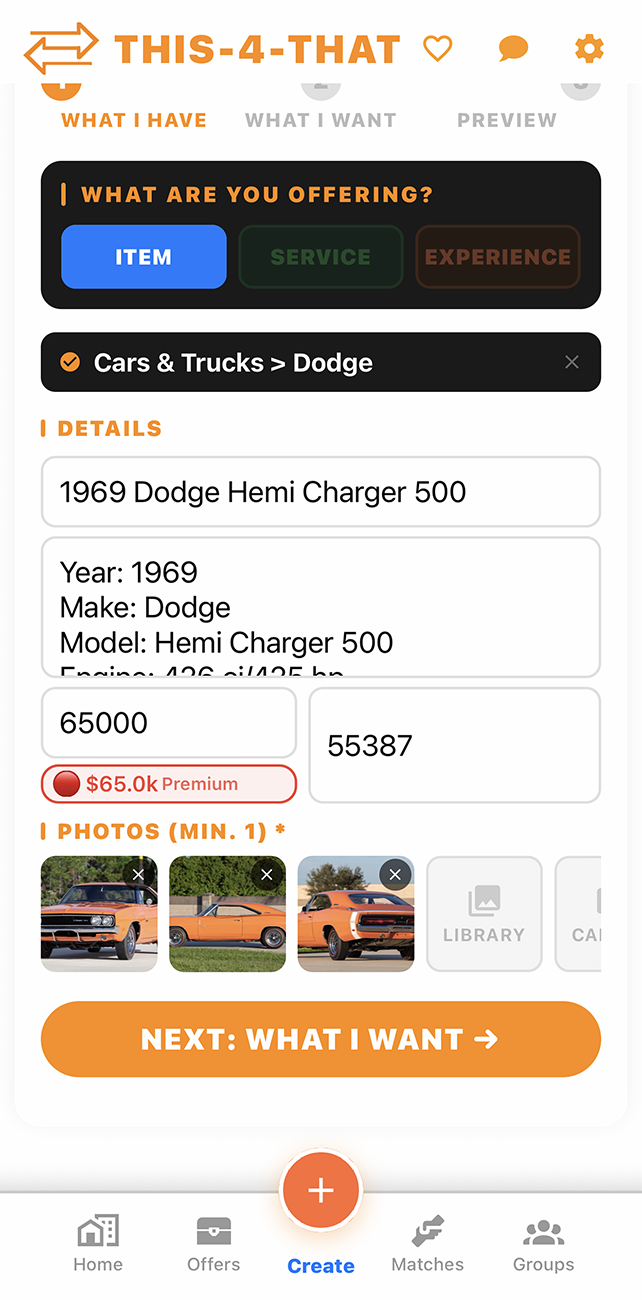
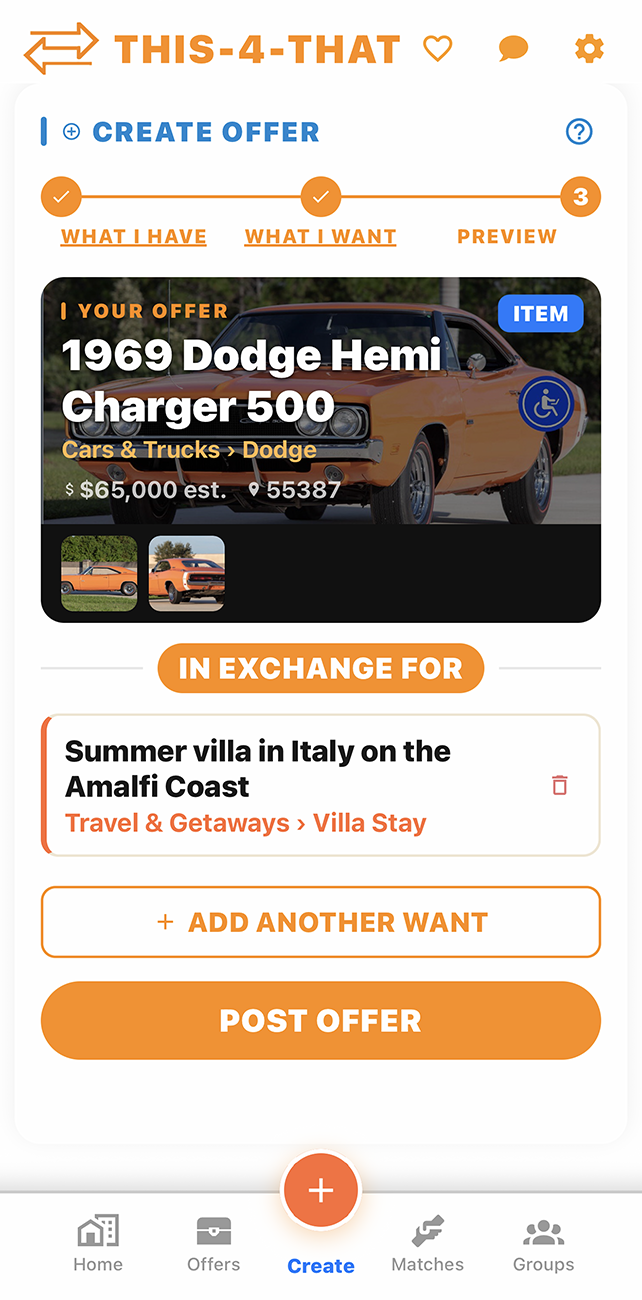
Tap the + Create button from the home screen or navigation bar. Choose your category then fill in the title, description, and photos. You'll also specify what you're looking for in return. Once submitted, your offer becomes visible to other users and starts generating matches.
The Matches tab shows your matches. The app automatically finds:
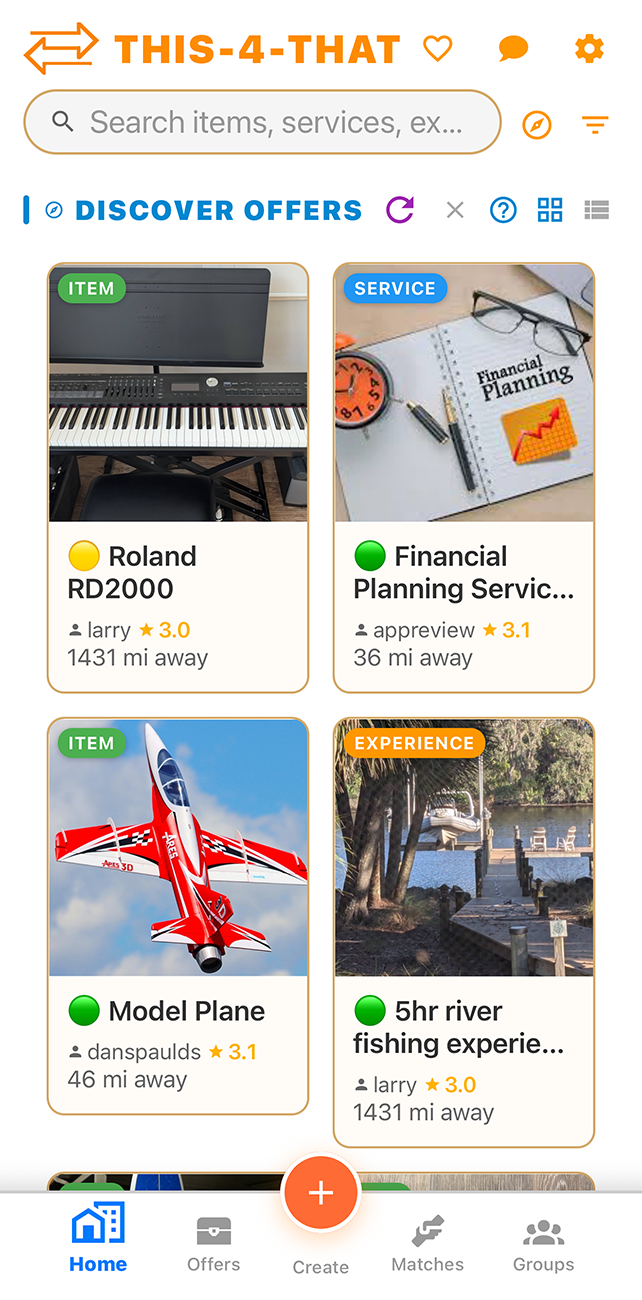
The Discover section shows a personalized feed of offers tailored to your trading interests. New users are prompted to pick interests during onboarding, and you can update them anytime in Settings → My Interests.
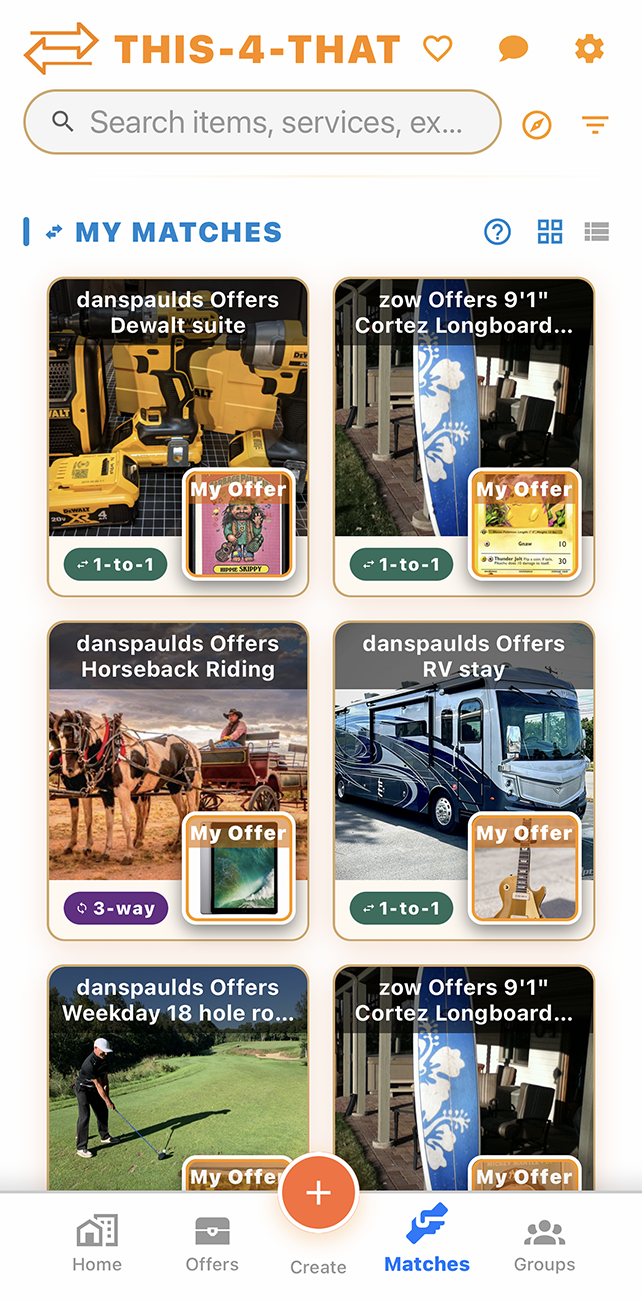
- Direct (1-to-1) — someone has what you want and wants what you have
- 3-way cycles — you give to A, A gives to B, B gives to you. No direct swap needed.
- 4 and 5-way cycles — longer chains the AI resolves so every participant gets what they want
The Discover section shows a personalized feed of offers tailored to your trading interests. New users are prompted to pick interests during onboarding, and you can update them anytime in Settings → My Interests.
Yes — the core app is free. You can post offers, find matches, chat with other users, and complete trades at no cost.
Offers & Trading
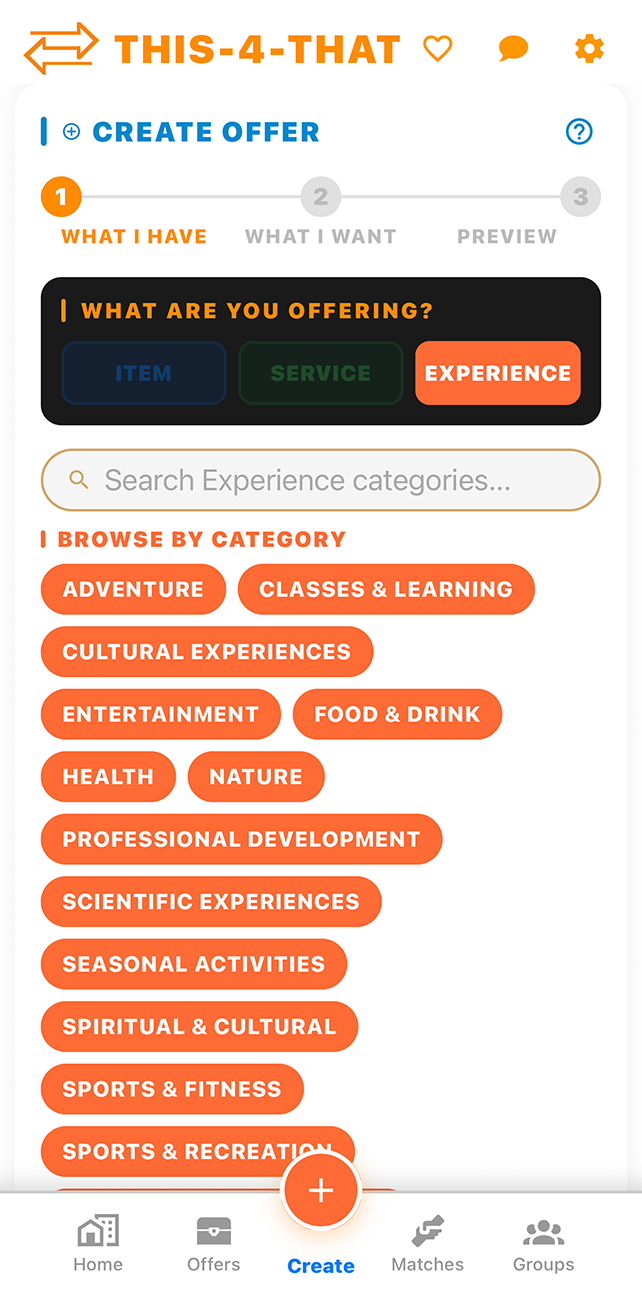
Anything of value. There are three offer types:
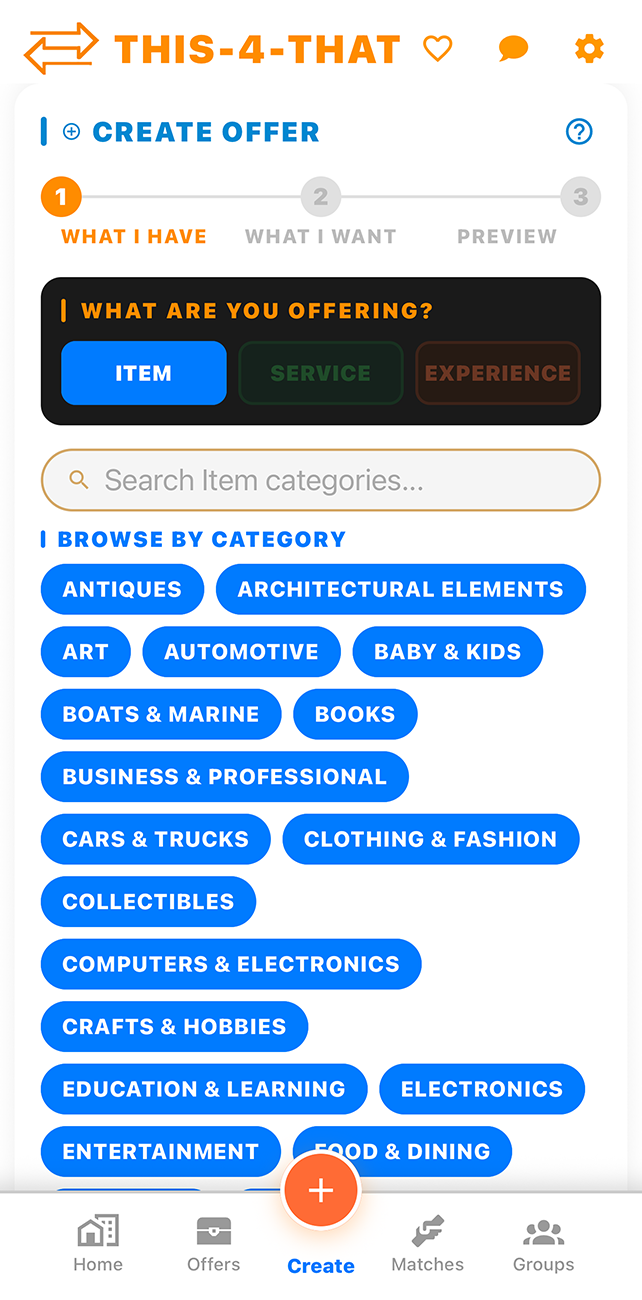
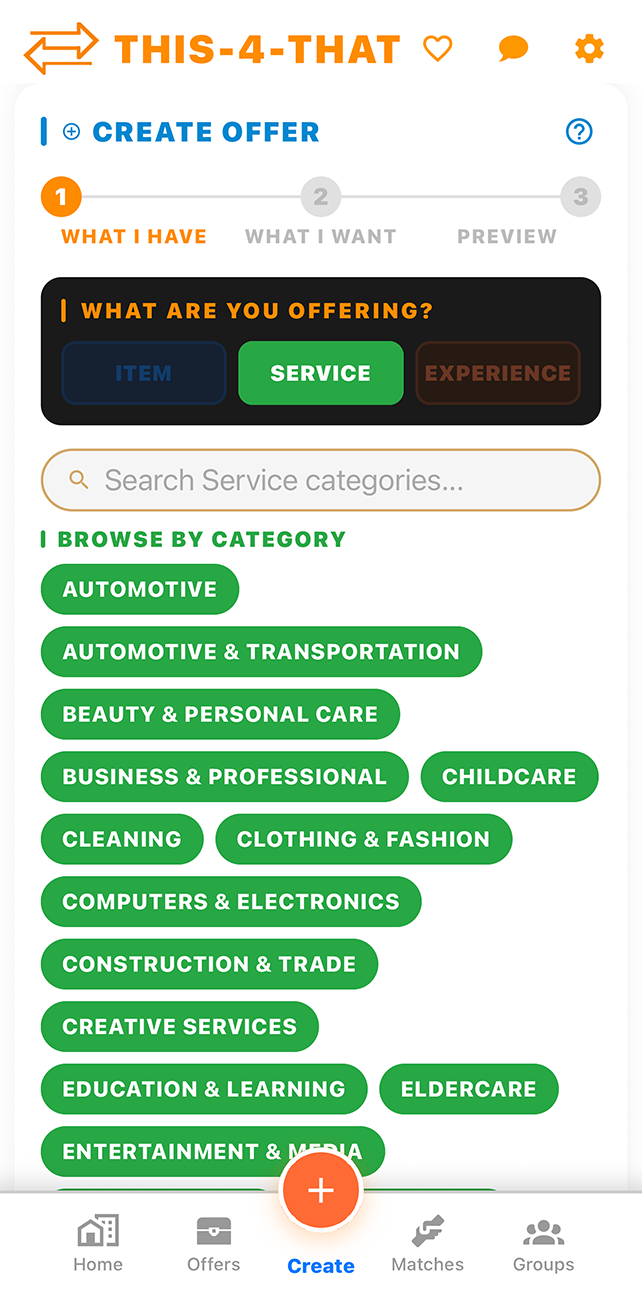
Items
Physical things you own — furniture, electronics, clothing, collectibles, and more.
Services
Things you do — lawn care, tutoring, photography, cleaning, cooking, and more.
Experiences
Activities and events — guided tours, workshops, adventures, destinations, and more.
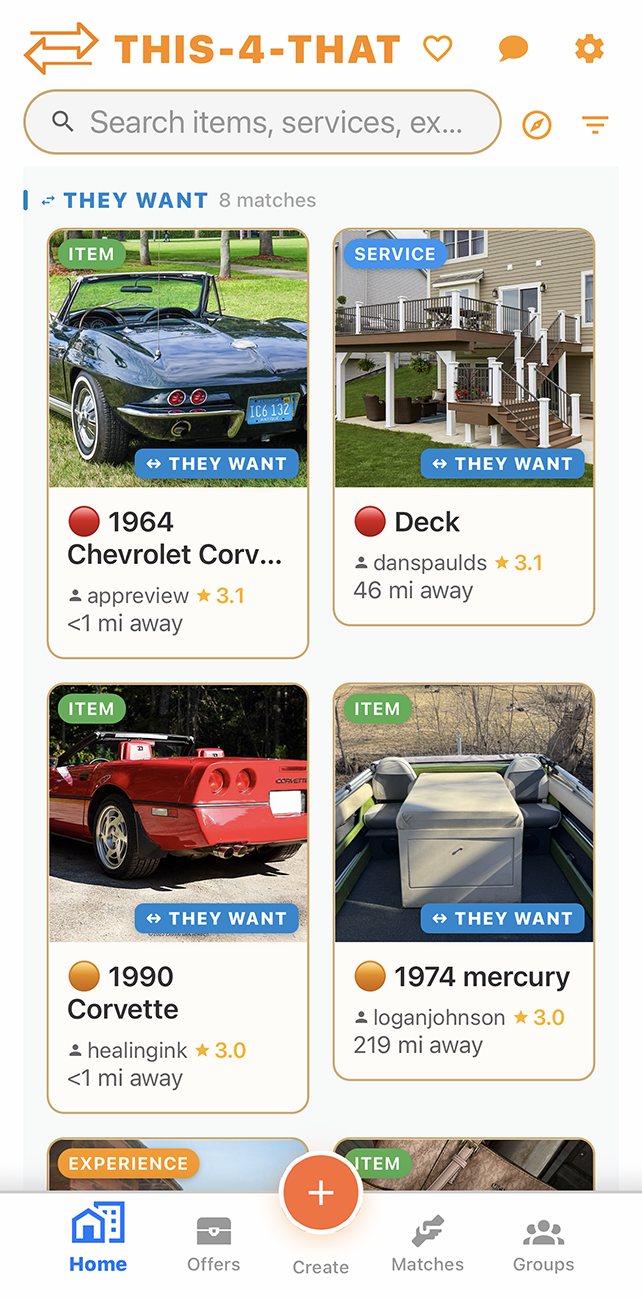
Tap any listing to view it, then tap Make an Offer. Select one or more of your own offers to propose in exchange. You can also add a Sweeten the Deal bonus to make your offer more attractive. The other user gets a notification and can accept, decline, or respond in chat.
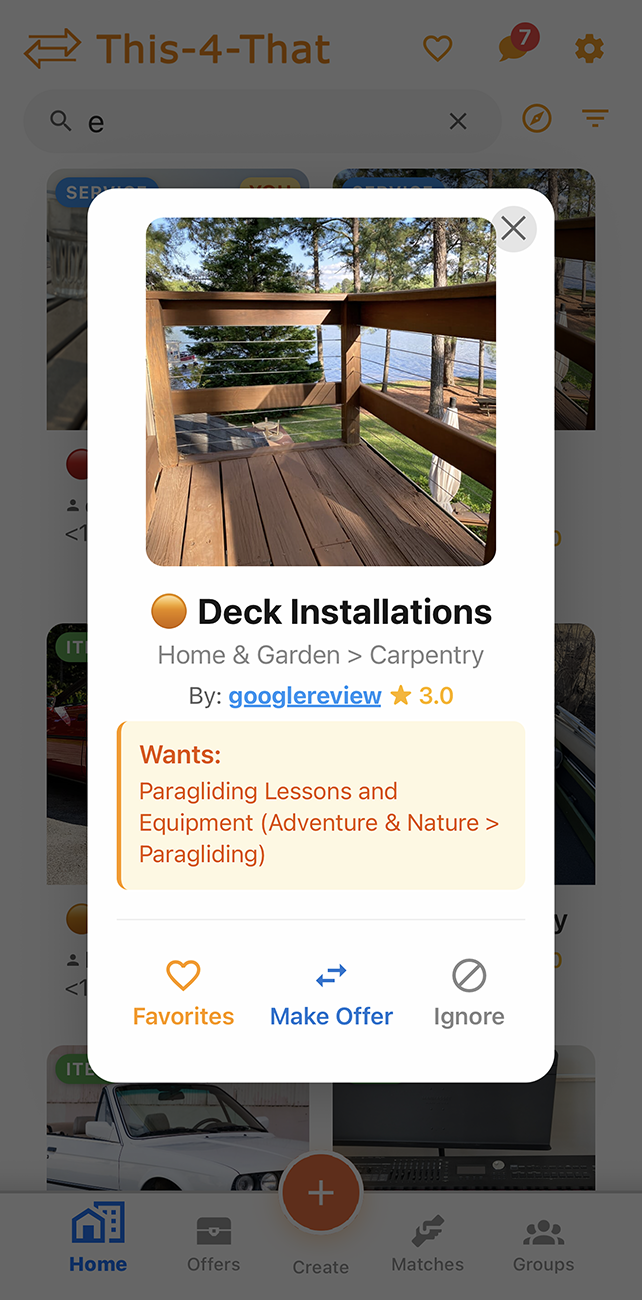
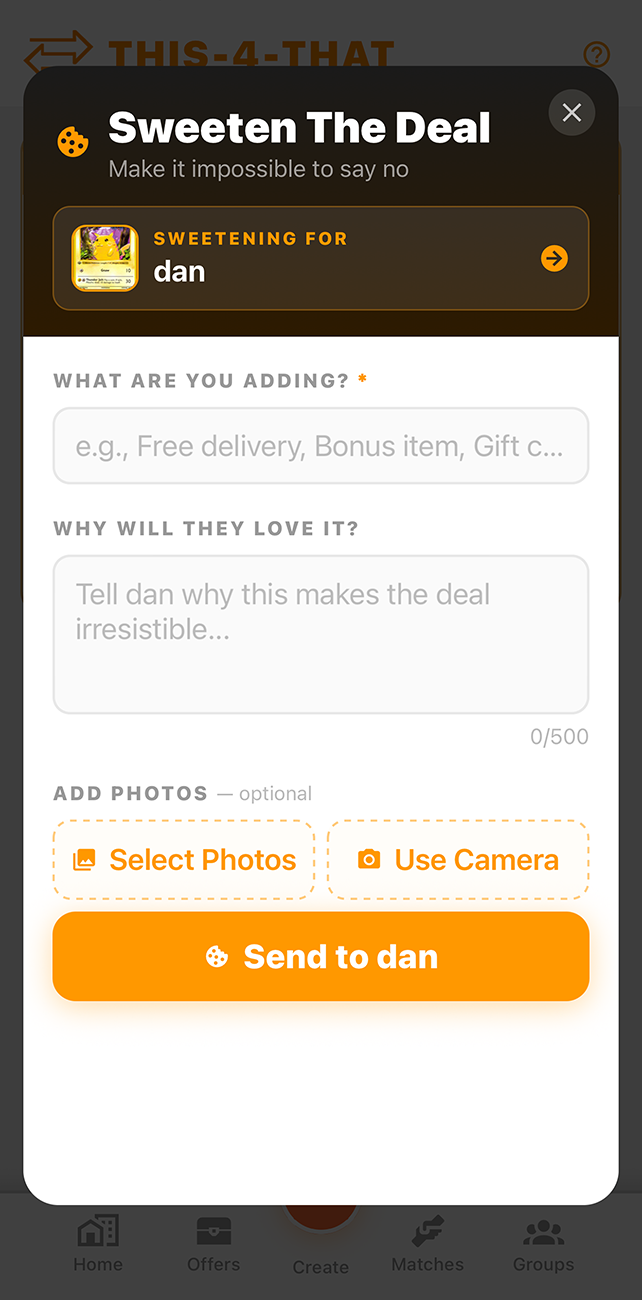
Sweeten the Deal lets you throw in a bonus item, service, or experience on top of your main offer — like extras to close the deal when there's a value gap. The bonus appears clearly labeled in the chat message to the other person.
A Barter Mat is your shared trading space — a mat laid out between you and the other person displaying the offers. It holds all the trade details, keeps everyone in the same conversation, and tracks it through to completion.
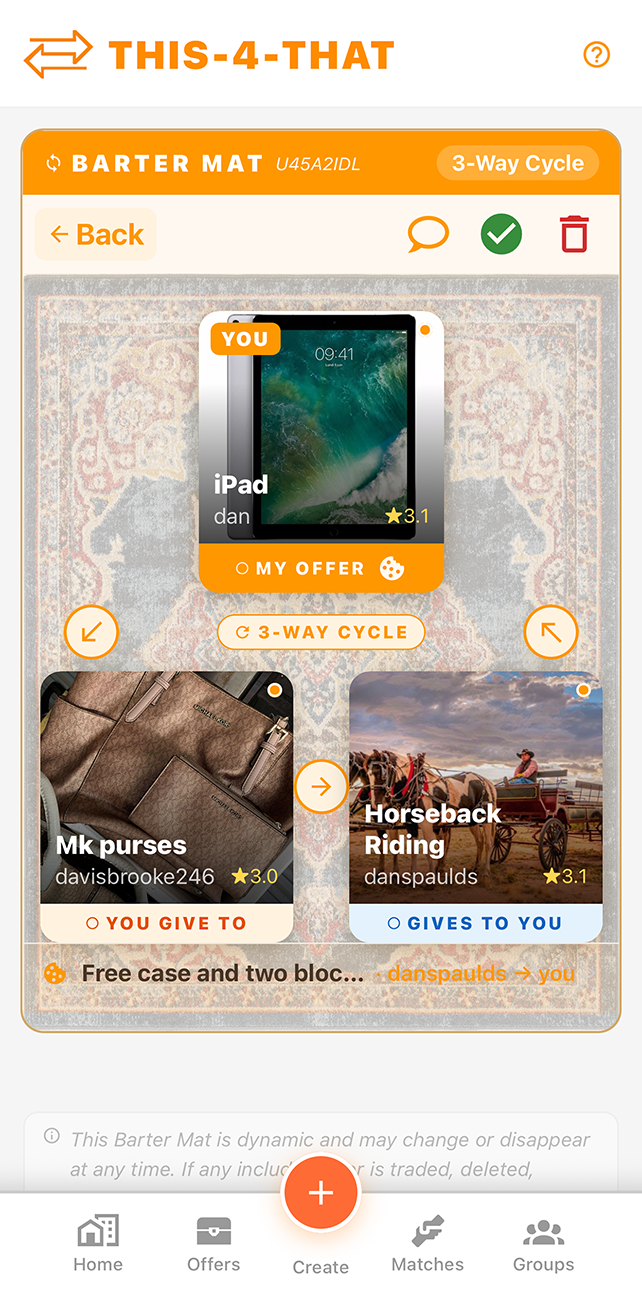
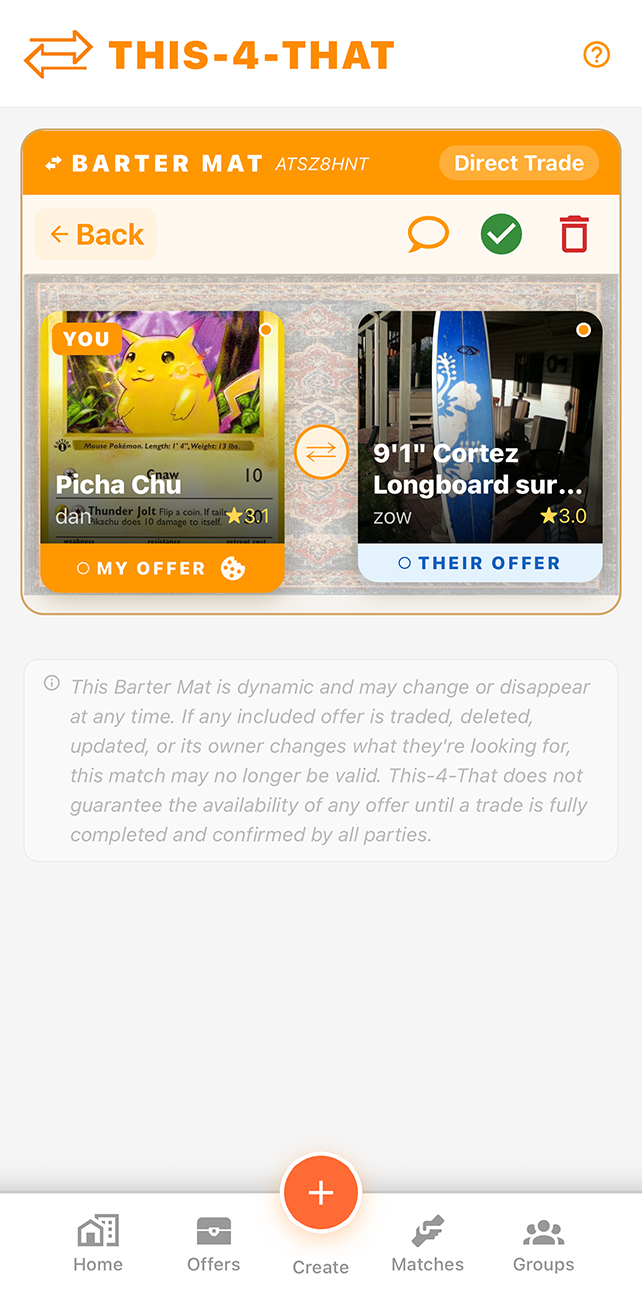
Yes — and that's by design. A single offer can appear in many pending matches simultaneously: a 1-to-1 match here, a 3-way cycle there, and so on. You decide which trade to pursue by accepting a Barter Mat.
A pending match is automatically cleared in two situations:
A pending match is automatically cleared in two situations:
- The Barter Mat is marked complete by all parties involved — the offer has been traded and is no longer available.
- Any user whose offer is part of that match deletes their offer(s) — the match dissolves because the deal can no longer be fulfilled.
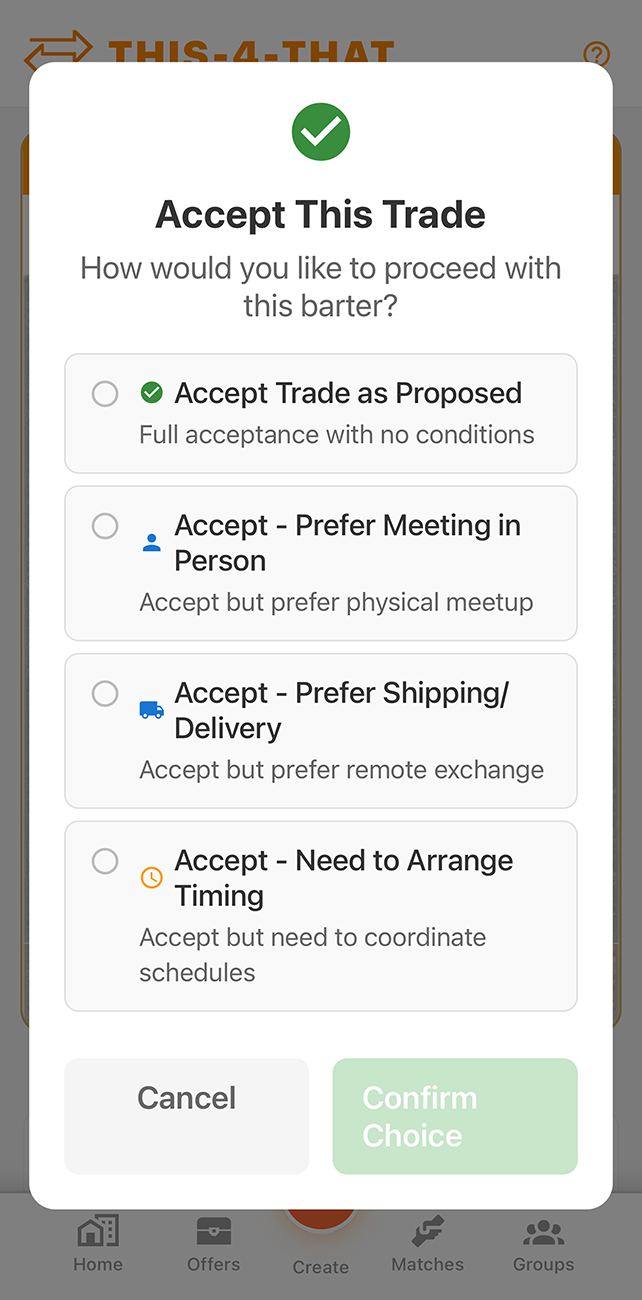
Open the Barter Mat for the trade, then tap Accept Trade. Once all participants accept, the trade is marked complete. Both parties are prompted to rate each other, which builds trust on the platform.
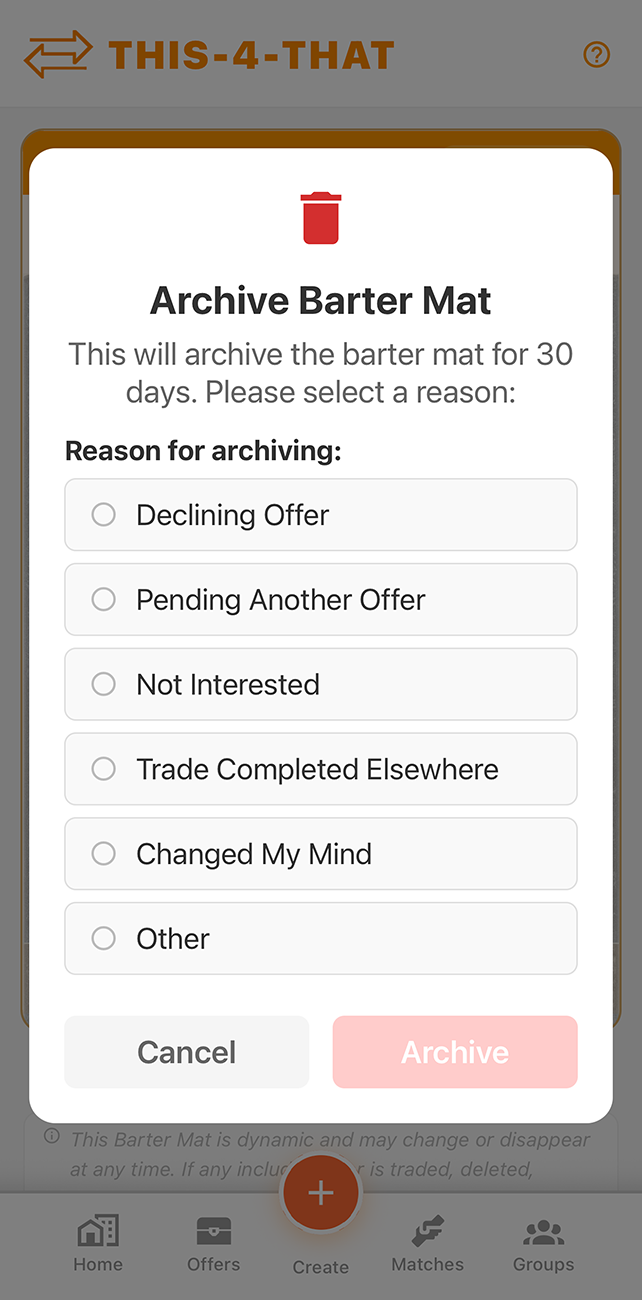
Tap the trash icon on the Barter Mat, pick a reason — Declining Offer, Pending Another Offer, Not Interested, Trade Completed Elsewhere, Changed My Mind, or Other — then tap Archive. The mat is archived for all participants, everyone in the chat is notified with your reason, and it's automatically removed after 30 days of inactivity. Your other offers stay active and keep generating new matches.
Go to your profile or the Home screen and find your offer. Tap it to open, then use the Edit or Delete option. Deleting an offer will also remove any pending Barter Mats that included it.
When all parties have tapped Accept Trade and the trade is marked complete, everyone in the trade receives a push notification and a group chat message prompting them to rate. Tap the notification (or the link in the chat) to open the Barter Mat — the Rate Your Trading Partners section will be prominently displayed. You rate every other person involved in the trade, and they rate you. Ratings are averaged and shown on user profiles as a trust signal.
Chat & Notifications
Your offer was sent as a chat message. The other user will receive a push notification — but only if they have notifications enabled on their device. Check your Messages tab to confirm the message was sent. If there's no response after a few days, send a follow-up message in the chat.
When you first open the app you'll be prompted to allow notifications. If you declined, re-enable them here:
- iPhone: Settings → THS 4 THT → Notifications → Allow
- Android: Settings → Apps → THS 4 THT → Notifications → Enable
- Web browser: Click the lock icon in the address bar → Notifications → Allow
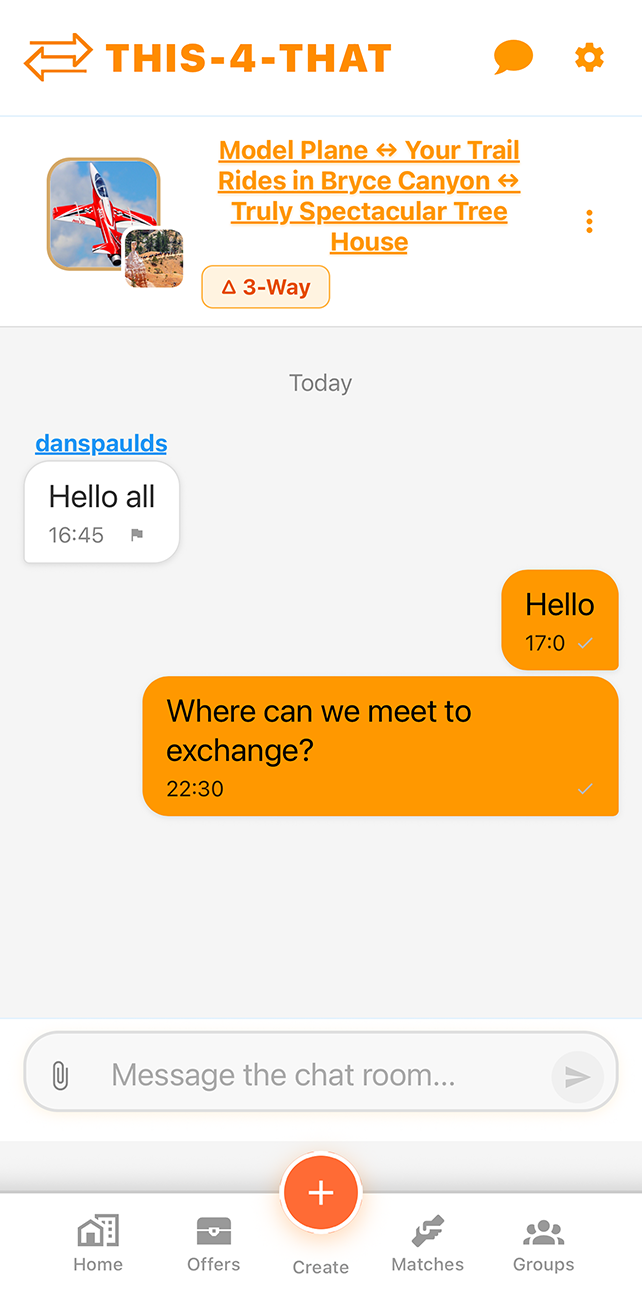
When a Barter Mat is created — especially for multi-way trades — a group chat is automatically created with all participants. This keeps all coordination in one place. You can access the group chat directly from the Barter Mat detail page.
Groups
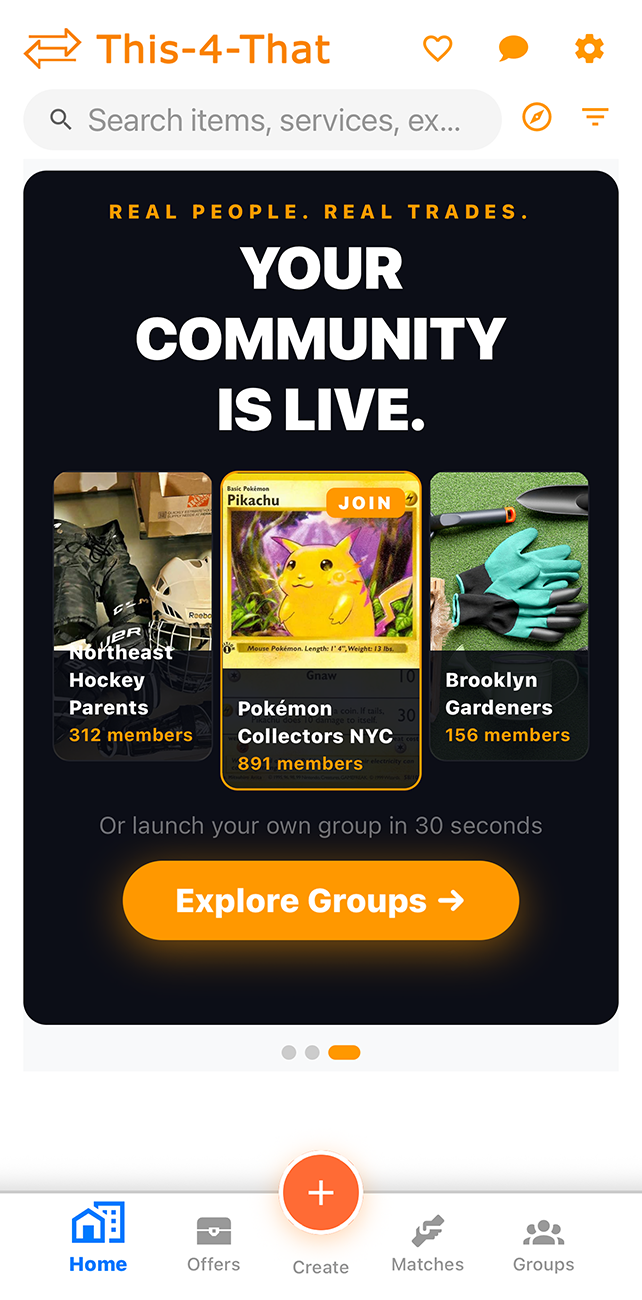
Groups are dedicated barter communities inside THS 4 THT — think of them as private marketplaces for people who already share something in common. The possibilities go way beyond "neighbors trading yard tools":
- Hobby communities — Pokémon card collectors, vintage vinyl traders, sneakerheads, comic book fans
- School & campus life — college textbook swaps, dorm room furniture exchanges, student clubs
- Sports & recreation — local rec leagues swapping gear, youth sports parents trading uniforms and equipment
- Professional networks — freelancers exchanging services, co-working spaces sharing resources
- Neighborhood & HOA — street-level communities for tools, plants, produce, childcare swaps
- Clubs & organizations — rotary clubs, maker spaces, faith communities, civic groups
- Interest groups — gamers, cosplayers, crafters, foodies, plant parents, book clubs
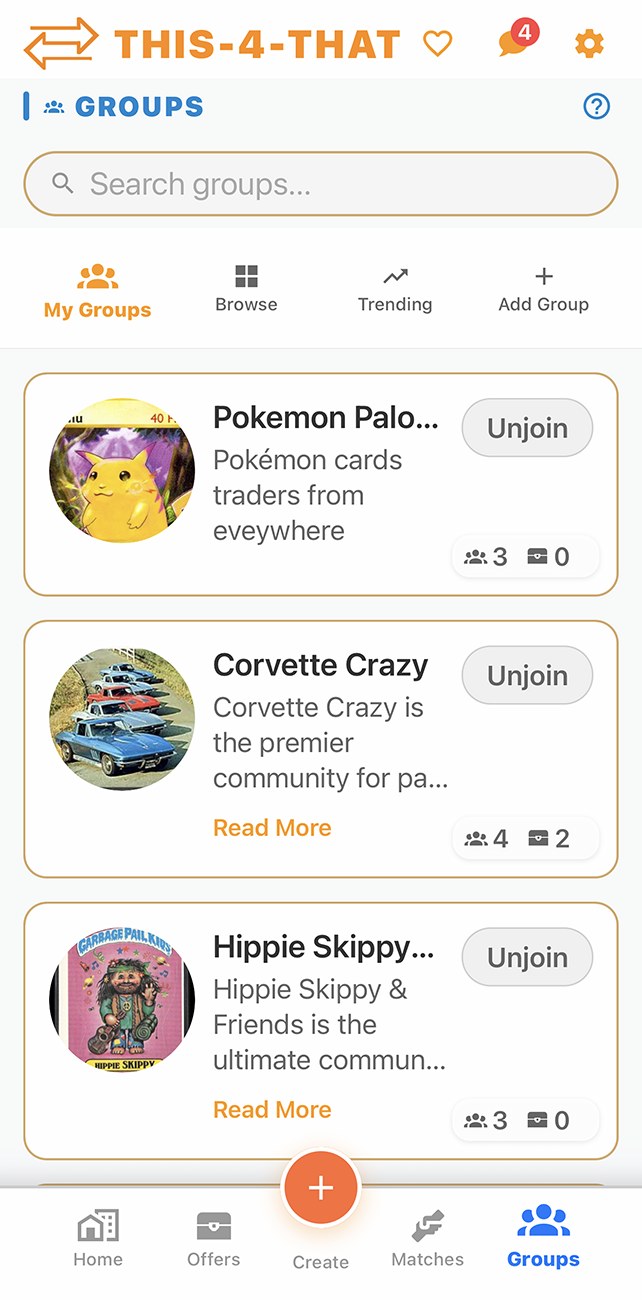
Tap Groups in the bottom navigation. You'll see trending groups, groups by category, and a search bar. Type anything — "Pokémon," "woodworking," "soccer," "textbooks" — and matching groups appear instantly.
Public groups: Tap Join and you're in immediately. No waiting, no approval needed.
Private groups: Tap Request to Join. The group admins are notified right away and will approve or decline your request. You'll get a notification either way.
You can belong to as many groups as you want while still participating in the main marketplace.

Public groups: Tap Join and you're in immediately. No waiting, no approval needed.
Private groups: Tap Request to Join. The group admins are notified right away and will approve or decline your request. You'll get a notification either way.
You can belong to as many groups as you want while still participating in the main marketplace.
Tap Groups → Create Group (the + button). Fill in:
- Name & description — tell people what you're all about
- Categories — items, services, or experiences your group trades in
- Tags & keywords — makes your group searchable by the right people
- Cover image — give your group a face
- Public or Private — open to anyone, or invite-only with approval
Group owners and admins have a powerful set of tools to keep the community running smoothly:
- Approve or decline join requests for private groups
- Manage members — promote members to admin, remove problem members
- Edit group details — update the name, description, image, categories, and privacy settings anytime
- Set group rules — define what's allowed and what isn't in your community
- Delete the group — all members are notified automatically when a group is dissolved
Absolutely — Groups are built to scale. Whether it's 5 friends swapping board games or a 500-member Pokémon collectors club, the platform handles it. There's no hard cap on members. Larger groups naturally benefit from having multiple admins to share the workload, and the search and discovery tools make it easy for new members to find their way in.
Open the group, tap the menu (⋮ or settings icon), and choose Leave Group. You can rejoin later if it's a public group. If you created the group and want to close it down entirely, use the Delete Group option — all members will receive a notification explaining the group has been dissolved.
Account & Settings
You can request deletion of your THS 4 THT account and associated data in the app by going to Profile, scrolling all the way to the bottom, and tapping Delete Account.
If you cannot access the app and need help requesting deletion or restoration, contact THS 4 THT Support.
- Enter your password to confirm your identity.
- Type DELETE MY ACCOUNT exactly as shown.
- Confirm the deletion prompt to finish the request.
If you cannot access the app and need help requesting deletion or restoration, contact THS 4 THT Support.
Tap the user's profile or the listing and look for the Report option. Our moderation team reviews all reports. For urgent issues, email us directly at THS 4 THT Support.
Technical
Try these steps in order:
- Close and reopen the app
- Check your internet connection
- Update the app to the latest version from the App Store or Google Play
- Restart your device
- Uninstall and reinstall (your account data is saved in the cloud)
Yes. The app is available on:

 Your account syncs across all platforms automatically.
- iOS — iPhone and iPad via the App Store
- Android — via Google Play
- Web — ths4tht.com
iPhone and iPad
Scan QR Code
Still need help?
We're here for you.
Can't find what you're looking for? Describe your issue and we'll get back to you fast.
Or call us at +1 (612) 400-8997.
Email Support →
THS 4 THT Support
Or call us at +1 (612) 400-8997.